

Transfer a balance to your credit card
Want to move an existing balance from another credit card provider to your Santander credit card?
You can do this in our Mobile Banking app. Before you start, just make sure your card is activated.
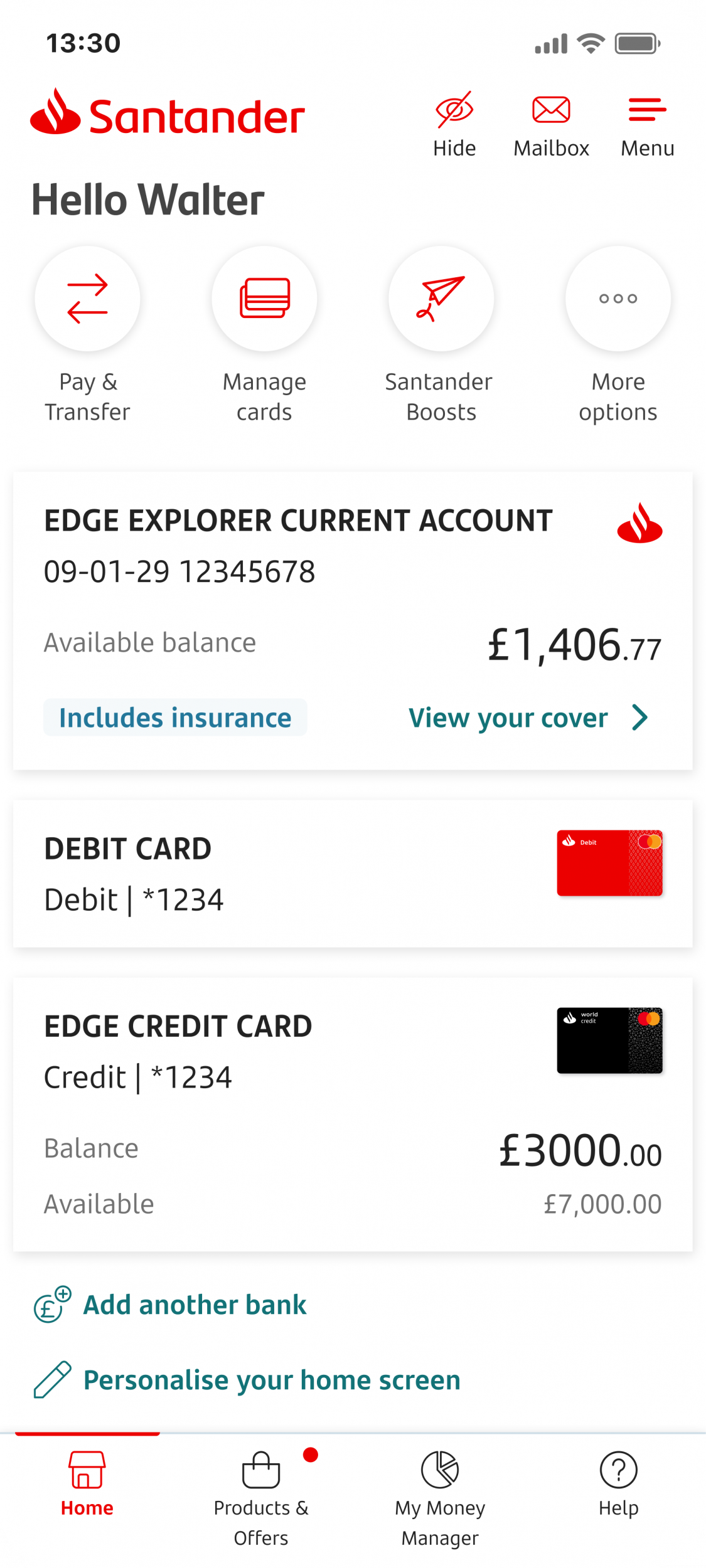
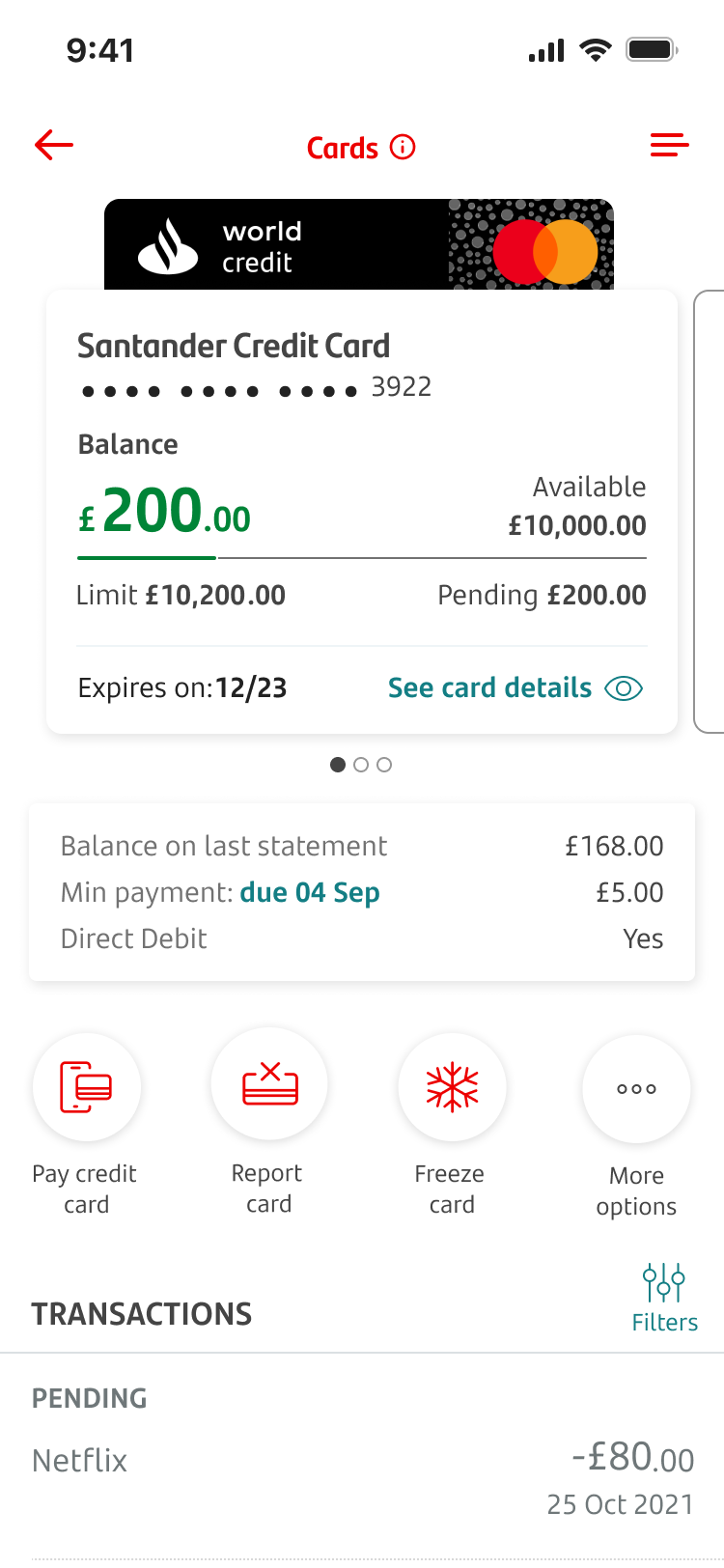
To get started, log on and tap the card you’d like to transfer the balance to.
Tap on ‘More options’
Tap ‘Balance transfer’
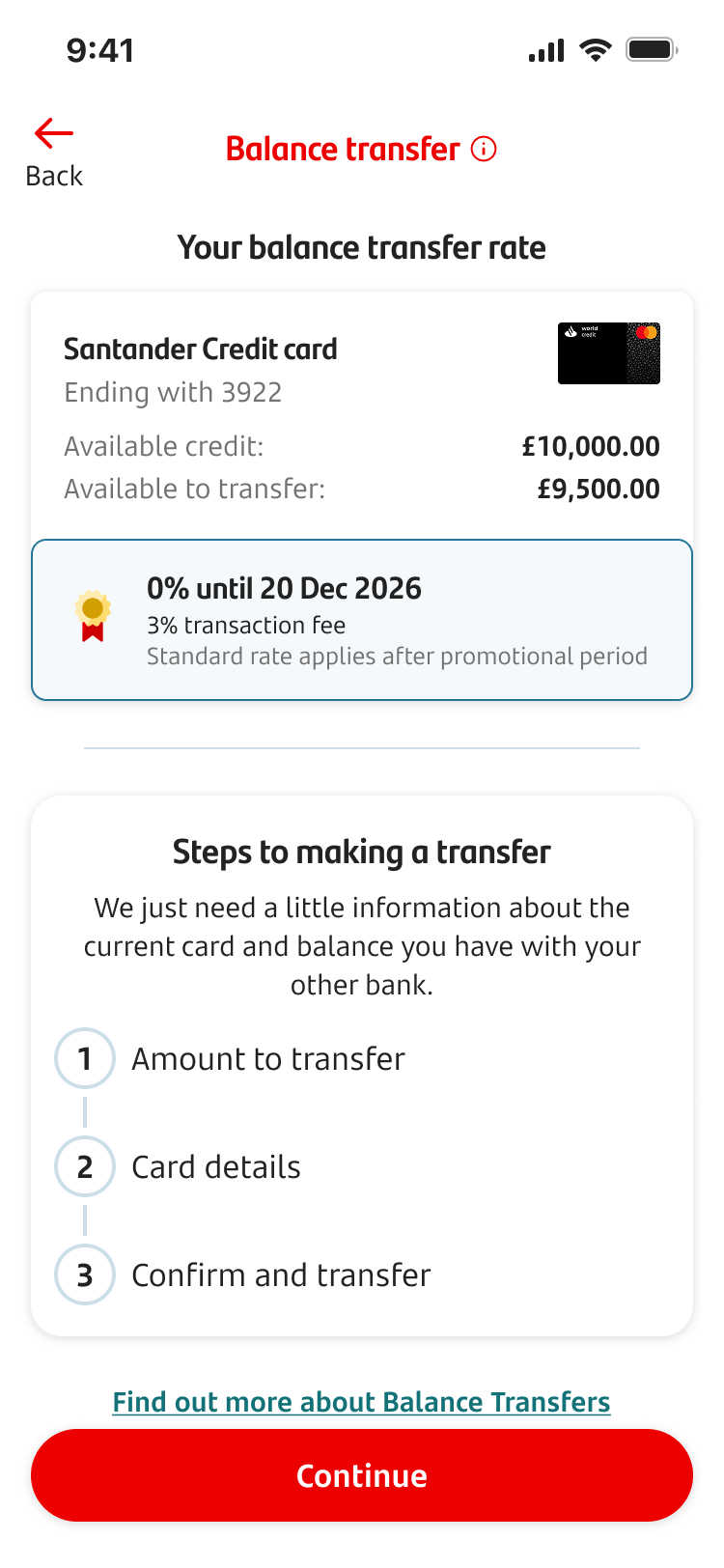
Here you’ll see your balance transfer rate.
Tap ‘Continue’ when you’re ready or tap the link for ‘Find out more about Balance Transfers’ if you’d like more information.
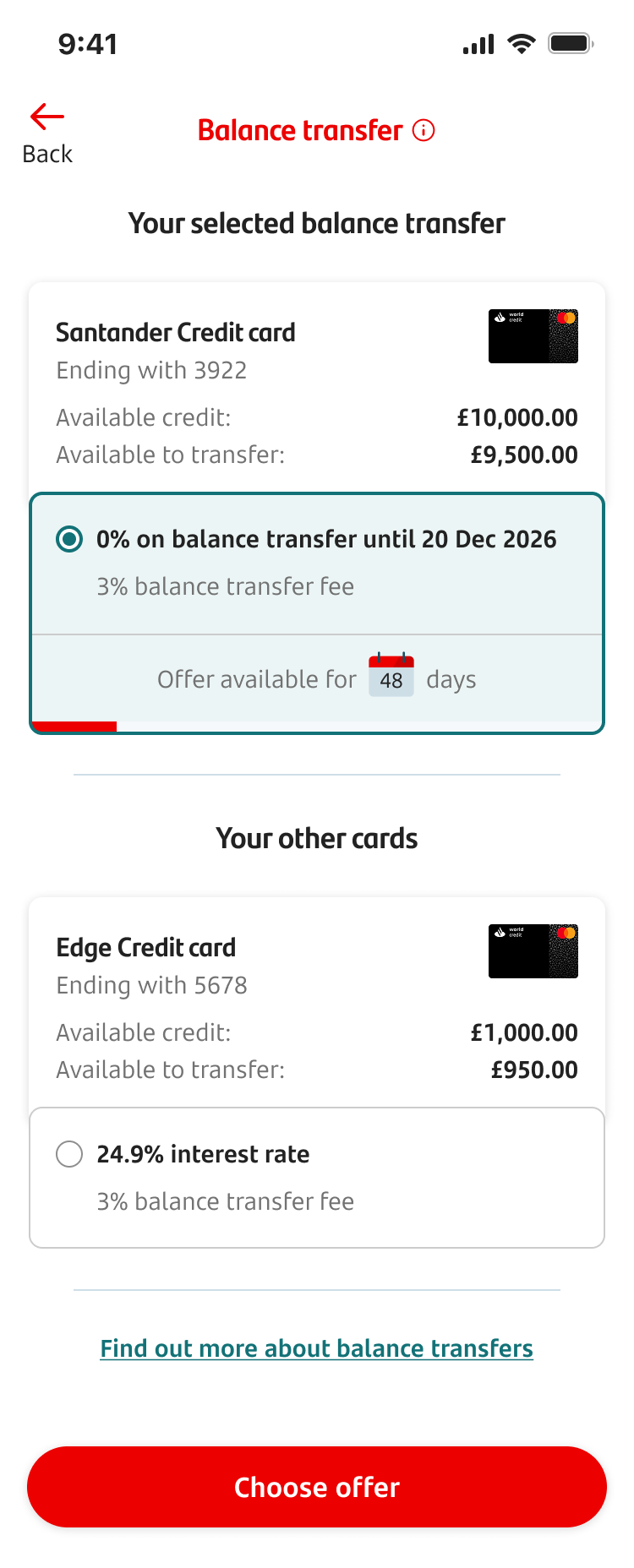
Tap the balance transfer you want. Then ‘Choose offer’ when you’re ready.
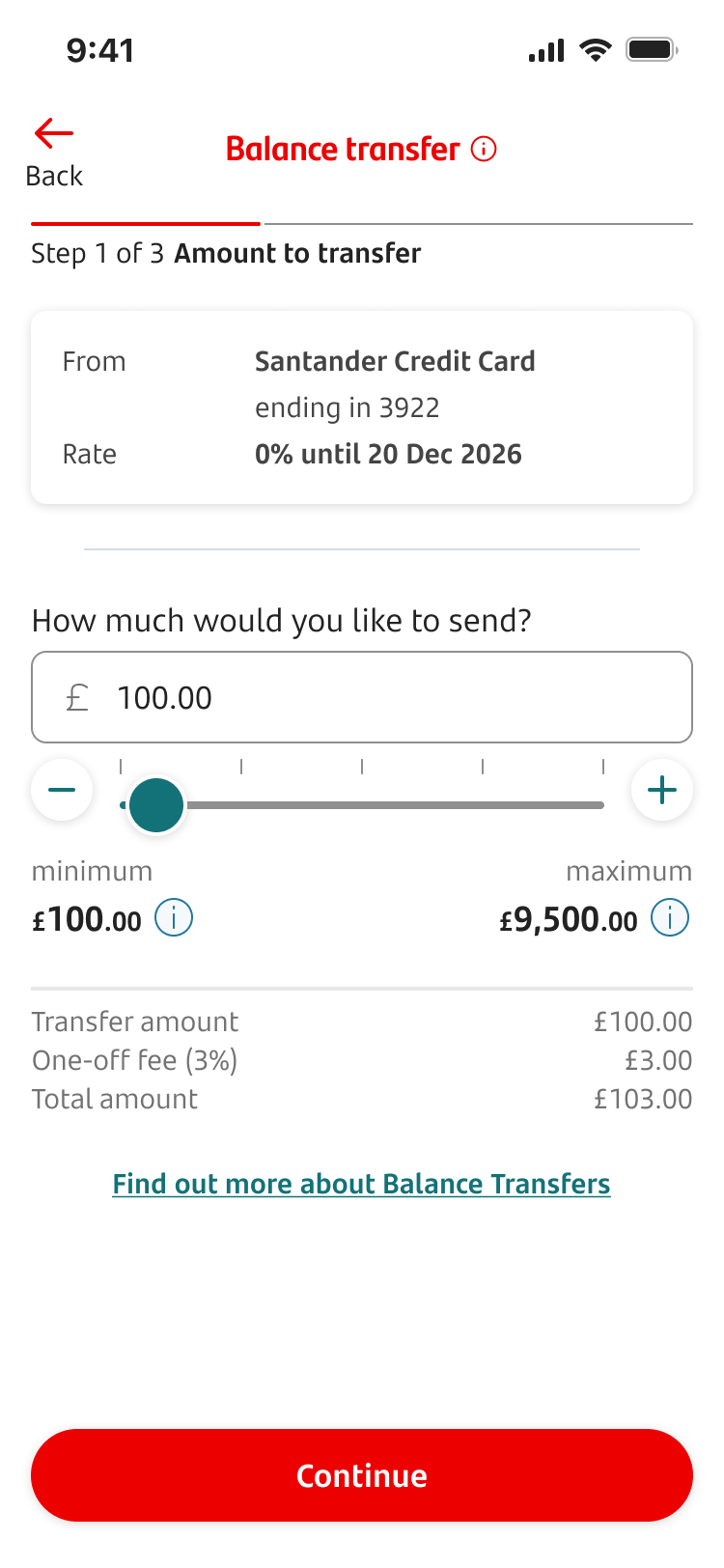
Enter or select the amount you want to transfer. You’ll be able to see the minimum and maximum amounts. Tap ‘Continue’ when you’re ready.
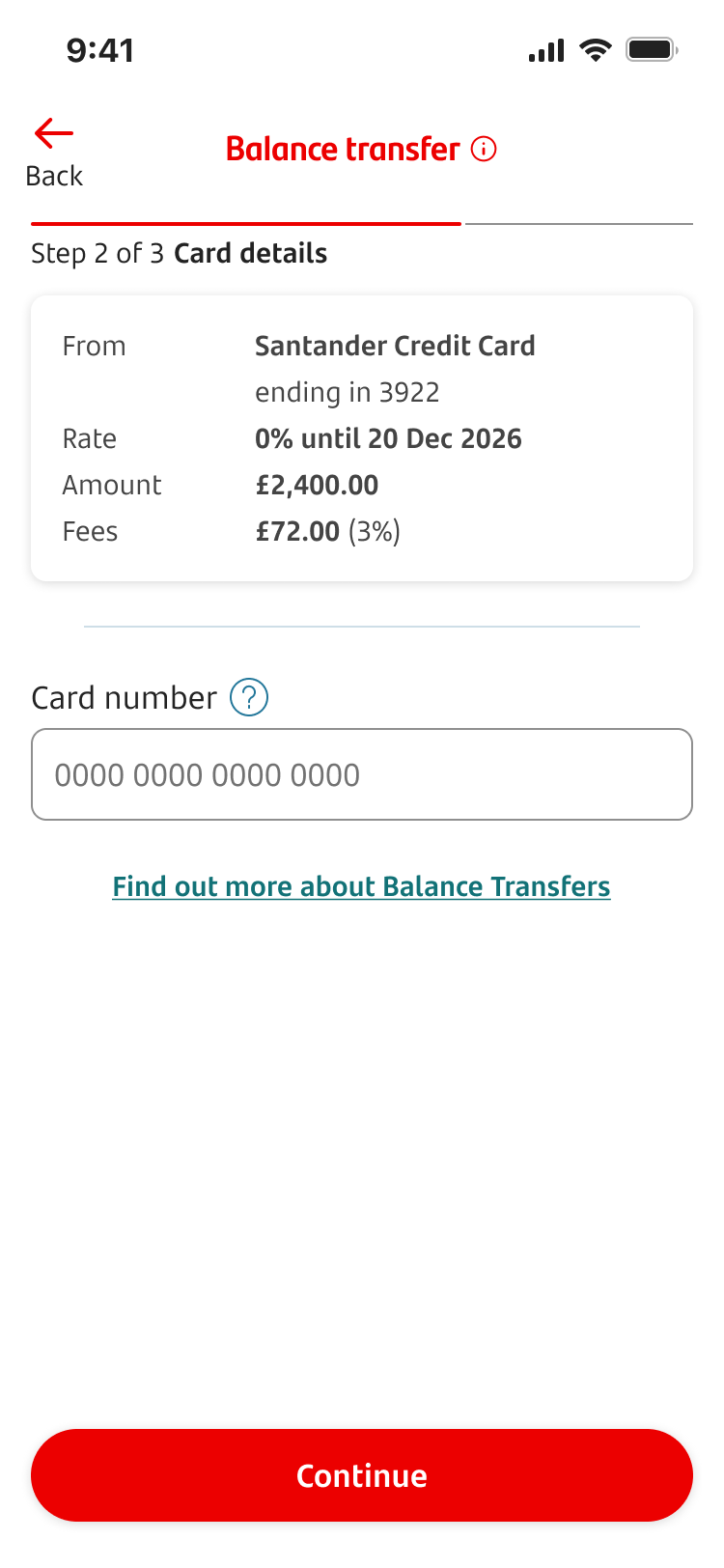
Check the details of the balance transfer. Then enter your 16-digit card number of the credit card you’re transferring the balance from.
Reminder: You can only transfer balances from another credit card provider.
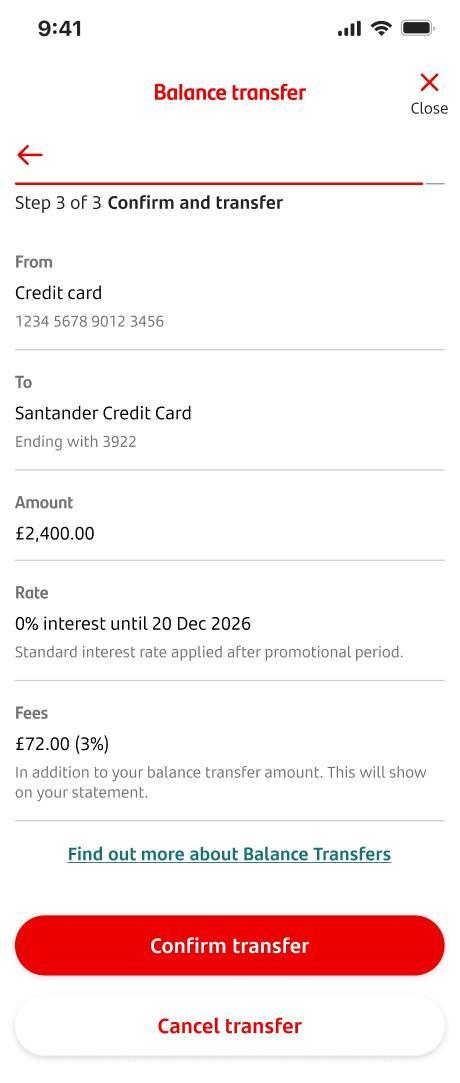
Check all the details. If you’re happy, tap ‘Confirm transfer’.
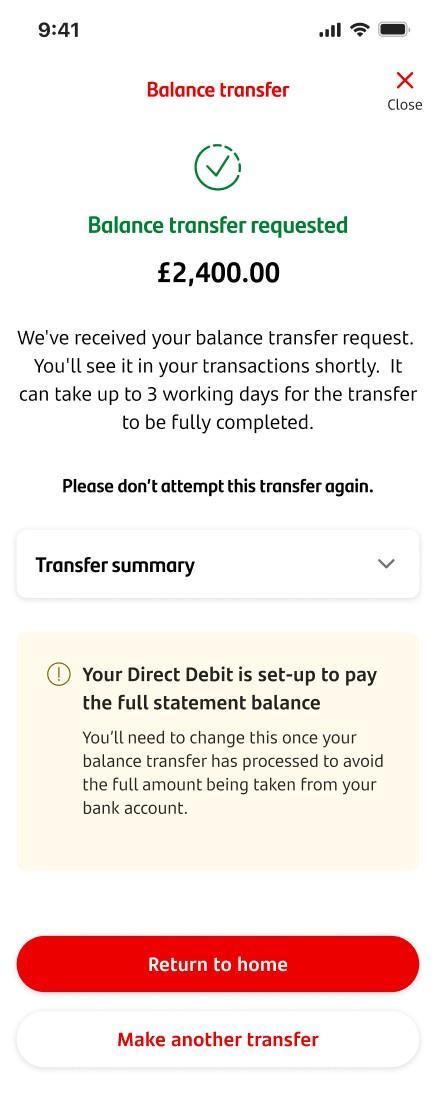
When the balance transfer is complete, you’ll see a screen saying ‘Balance transfer requested’.
You’ll see the details of the transfer, along with information about timescales.
You can tap ’Return to home’ or ‘Make another transfer.’