
Slide 1 of 4

Slide 2 of 4
Slide 3 of 4
Slide 4 of 4
Manage your card’s credit limit
Slide 1 of 4
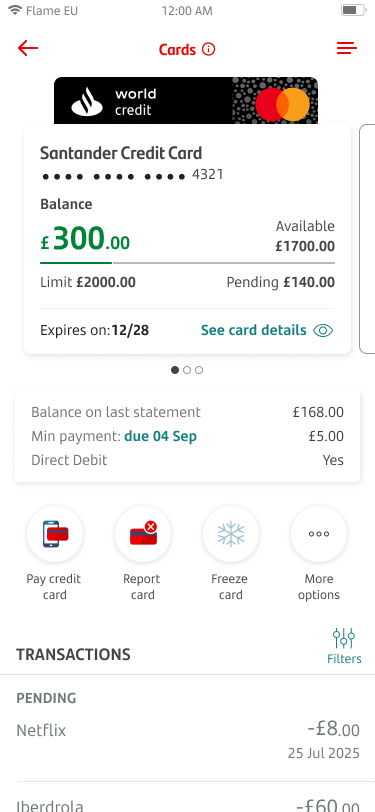
You can change your card’s credit limit in the app.
To get started, tap on your card on your home screen.
Slide 2 of 4
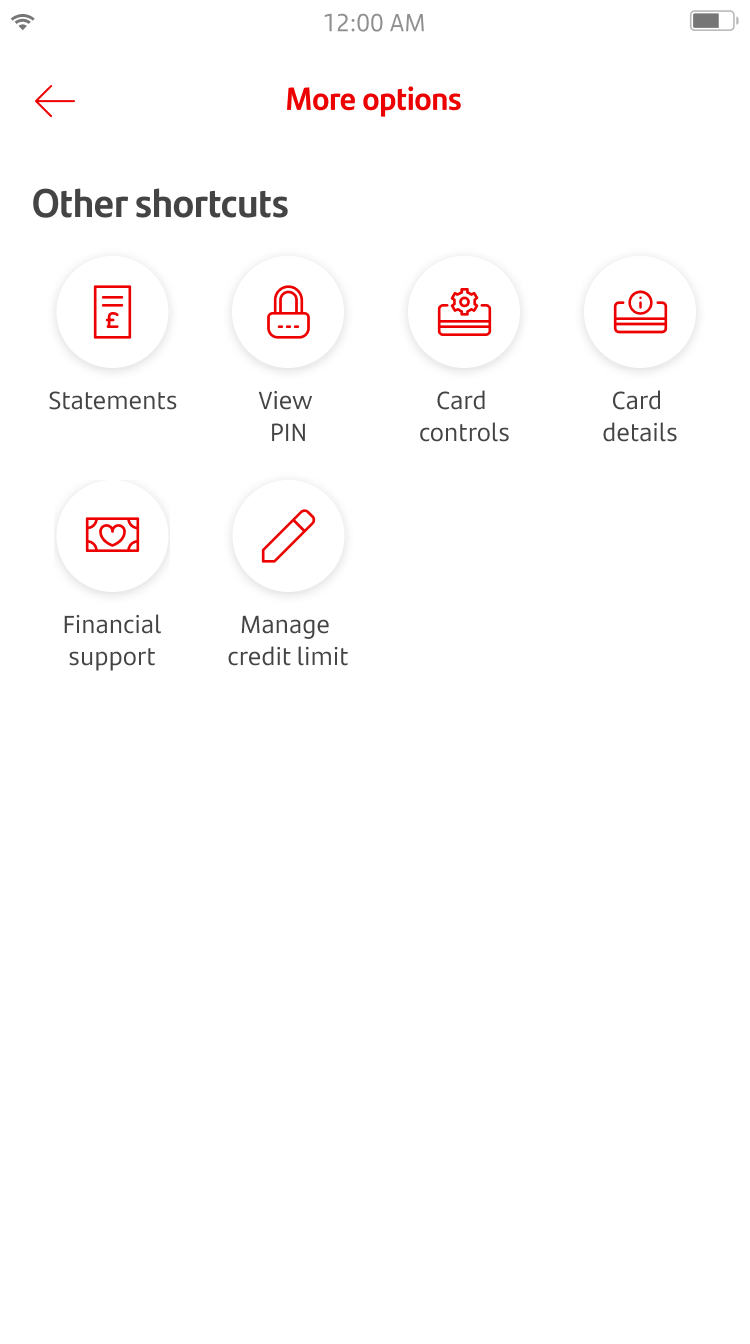
Tap on ‘more options’.
Slide 3 of 4
Tap on ‘Manage credit limit’.
Slide 4 of 4
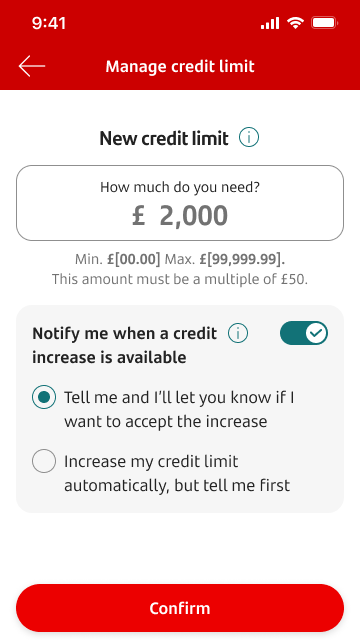
You can enter a new credit limit that’s right for you. You’ll see the minimum or maximum amount you can change to.
You can also use the toggle to choose how you want us to tell you about available credit increases. If you toggle this on, you’ll see 2 options:
- Tell you about the increase so you can decide if you want to accept it
- Tell you about the increase, and apply it automatically