
Subscriptions, also known as recurring payments, are card payments that are scheduled for a later date, and are taken on a regular basis. For example, online streaming services like Netflix.
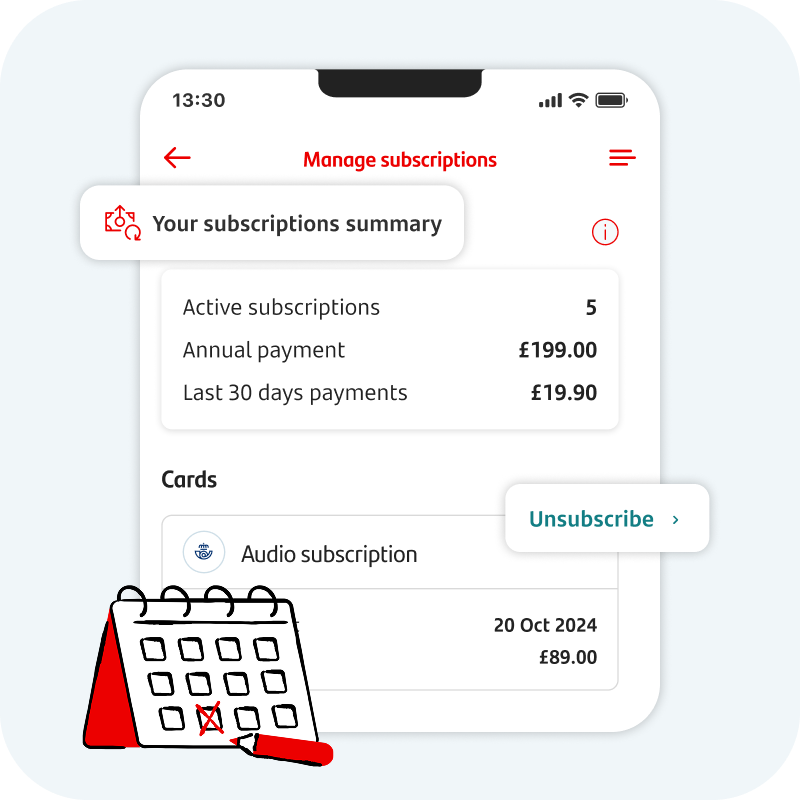
You can view and cancel subscriptions in our Mobile Banking app

View your subscriptions in one place.
Get to the right place to cancel subscriptions.
To get started, open our Mobile Banking app and tap ‘My Money Manager’ from the bottom of the home screen. Read and accept the T&Cs. Then tap ‘subscriptions’.
Cancelling a subscription

How do I cancel a subscription?
You should cancel your subscription with the company to stop being charged. This might be through their website or support team.

| Even if your card expires or you cancel the card, the company can get your new card details and keep taking payments. This is why it’s important to cancel your subscriptions with the company. |
If you try to stop your subscription or payment and you have any issues, please get in touch and we can help. We can stop card payments to that company. This may also stop other payments to them. For example, if you asked us to stop an Amazon Prime subscription, other payments to Amazon could also be stopped.

Cancelling subscriptions using our Mobile Banking app
My Money Manager takes you to the right place to cancel subscriptions.
- Open the mobile app and tap ‘My Money Manager’ from the bottom of the home screen.
- Read and accept the T&Cs.
- Tap ‘subscriptions’ and select the one that you want to cancel to be taken to the company’s cancellation page.
Not using our mobile app?
More help with subscriptions

Don’t recognise a subscription?
Here are a few things to check.
- Have you signed up for any free trials? These trials may have ended and you’re now being charged.
- Look up the name on your statement or transaction using a search engine like Google. The company name might appear differently on your statement, so this might help you recognise it.
See our unrecognised transactions page for more information.

Disputing a subscription
If you’ve cancelled a subscription but you’ve still been charged, we might be able to raise a dispute on your behalf to get the money back.
- First, try to contact the company to try and get things sorted. This will be the quickest way of getting your money back.
- Ask them to confirm that your subscription has been cancelled and on what date.
If you can’t resolve things with the company, you can get in touch within 120 days.