
Investments
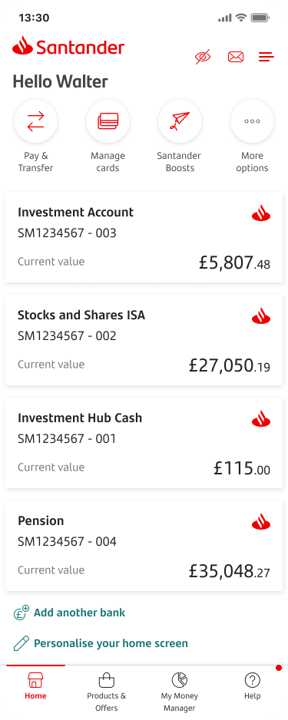
The app will show all your investment accounts with Santander.
The balance is in real time.
Stocks and Shares ISA - tax efficient way to hold your investments.
Investment Account - an account for investing when you've used your ISA allowance.
Personal Pension - a tax-efficient way to save for your retirement.
Investment Hub Cash - where you can hold money before finding the right fund and pay fees from.
Click on each account to find further information.
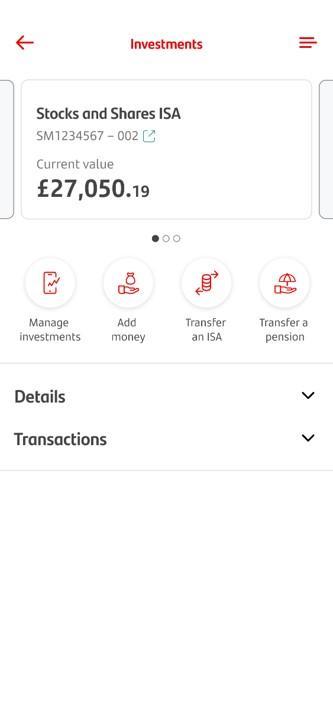
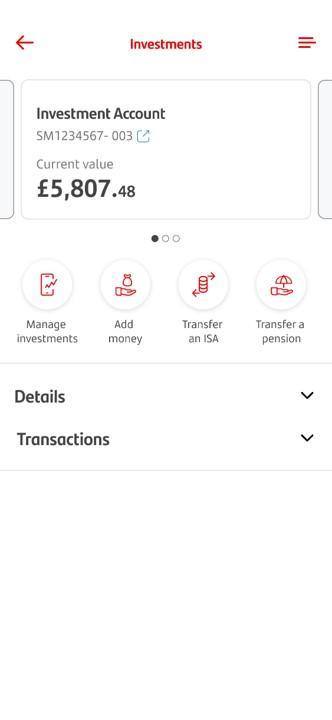
At the top you’ll see the current value of the account.
Further information about your accounts below:
Details
- Unused ISA allowance
- Cash held
- Funds held and current value
Transactions
- Money in and out of the ISA
- Buying and selling of funds
Scrolling across you can see your other investment accounts.
Tap the icon for what you want to do.
Manage investments - To get the homepage of your Investment Hub.
Add money - If you want to add cash, ready to be invested.
Transfer an ISA - To transfer in a cash or stocks and shares ISA.
Transfer a pension - To transfer in a pension you have with another provider.
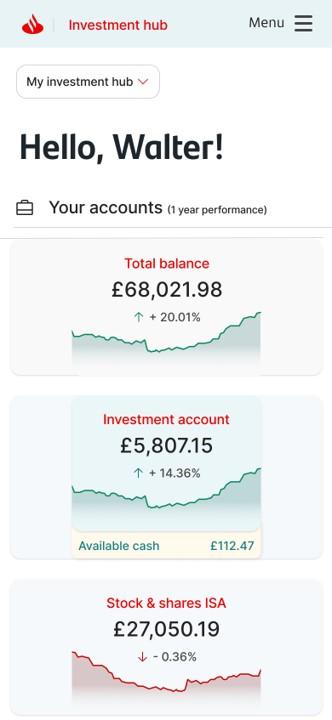
In the Investment Hub
At the top of your screen, you'll always see the total value of your investments together with how much they have increased or decreased over time.
Below this, you can see a breakdown for each account you've opened.
Tapping or clicking on each of these will show you the value, performance, and details of the portfolio of funds you're investing in.